Introduction to Private IP Address
Private IP Address is One of the important concept in networking. Understanding private IP addresses is essential for anyone learning networking, system administration.
IP addresses are used to identify devices connected to a network. These addresses allow devices such as computers, smartphones, routers, and servers to communicate with each other.
IP addresses are a fundamental part of computer networking and are used in many everyday activities.
There are two main versions of IP addresses used today:
- IPv4 (Internet Protocol Version 4) – Uses a 32-bit address format, typically written as four numbers separated by dots (for example: 192.168.1.1).
- IPv6 (Internet Protocol Version 6) – Uses a 128-bit address format designed to support the growing number of devices connected to the internet.
IP addresses can also be categorized into public IP addresses and private IP addresses, depending on whether they are used on the public internet or within private networks.
What is a Private IP Address?
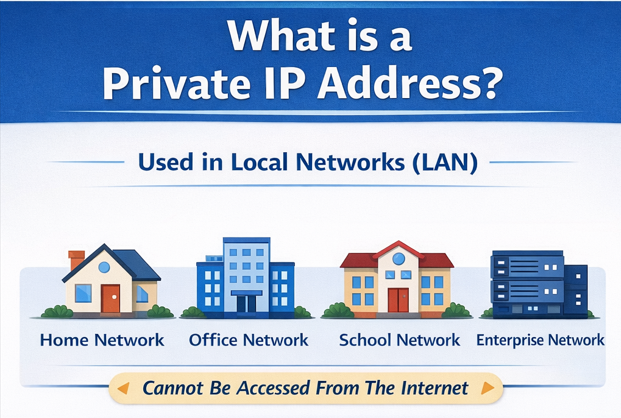
A Private IP Address is an IP address used within a local network (LAN). These addresses cannot be accessed directly from the public internet.
Private IP addresses are mainly used for communication between devices inside a private network.
Examples of private networks
Private IP addresses are commonly used in:
- Home networks
- Office networks
- School or campus networks
- Enterprise internal networks
These addresses help devices communicate internally without exposing them directly to the internet.
Private IP Address Ranges
Private IP address ranges are specific blocks of IP addresses reserved for use within private networks such as home, office, and enterprise environments.
These addresses are not routable on the public internet, meaning they cannot be accessed directly from outside the local network.
There are three main private IPv4 address ranges defined for internal networking.
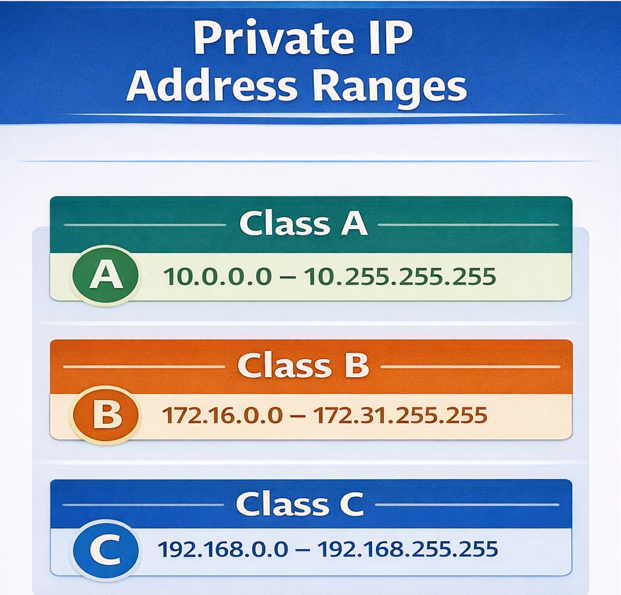
1. Class A Private IP Range
- Range: 10.0.0.0 – 10.255.255.255
- Supports very large networks with millions of devices.
2. Class B Private IP Range
- Range: 172.16.0.0 – 172.31.255.255
- Commonly used in medium to large enterprise networks.
3. Class C Private IP Range
- Range: 192.168.0.0 – 192.168.255.255
- Most commonly used in home networks and small offices.
How Private IP Addresses Work
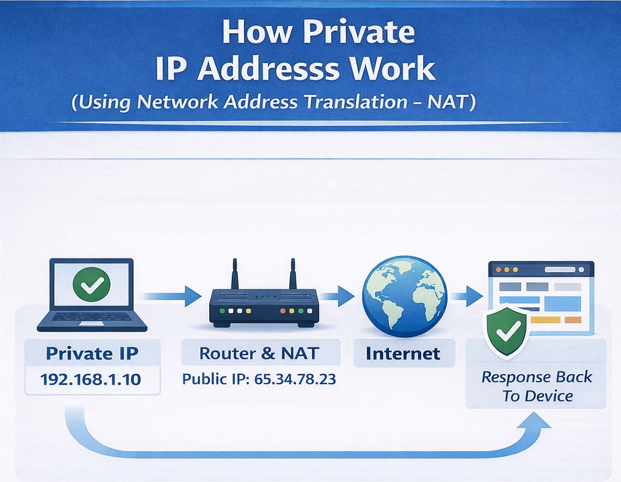
Private IP addresses allow devices to communicate within a local network. However, since these addresses cannot directly access the internet, routers use a process called Network Address Translation (NAT).
NAT converts a private IP address into a public IP address when a device needs internet access.
Process
- A device sends a request to access a website.
- The router receives the request from the device’s private IP address.
- The router translates the private IP into a public IP using NAT.
- The website responds to the public IP address.
- The router receives the response and forwards it back to the correct device inside the network.
This process allows multiple devices to share a single public IP address
Benefits of Private IP Addresses
Private IP addresses offer several advantages for network design, security, and scalability.
Key Benefits
- Conserves limited public IPv4 addresses.
- Shields internal devices from direct internet attacks.
- Free to use — no registration or cost required.
- Allows unlimited reuse across different private networks.
- Enables faster and secure internal communication between services.
- Supports network segmentation into isolated subnets.
- Simplifies internal network design and management.
- Centralizes internet traffic control through a NAT gateway.
- Hides internal network topology from the outside world.
- Reduces the organization’s public-facing attack surface.
- Supports large-scale cloud VPC architectures.
- Allows flexible IP assignment by department or service.
- Prevents accidental exposure of databases and backend servers.
- Enables secure staging and development environments.
- Works seamlessly with firewalls and access control policies.

Leave a Reply