Understanding Dynamic Host Configuration Protocol (DHCP)
Introduction to Dynamic Host Configuration Protocol
Dynamic Host Configuration Protocol is a network protocol that automatically provides IP addresses and other important network details such as the subnet mask, default gateway, and DNS server to devices on a network.
This means that when a device connects to the network, it doesn’t need any manual setup. The DHCP server automatically assigns an available IP address and provides all the necessary information for the device to communicate properly on the network.
This process makes network management much easier and more reliable. Network administrators don’t have to manually keep track of which device has which IP address, and users can connect to the network without any extra steps.
Dynamic Host Configuration Protocol helps prevent IP address conflicts, where two devices accidentally receive the same IP address.
Dynamic Host Configuration Protocol is an essential part of both small and large networks. It is used everywhere from home Wi-Fi systems to large corporate and campus networks making network configuration simple, fast, and efficient.
What is Dynamic Host Configuration Protocol and why it’s important in networking?
What is Dynamic Host Configuration Protocol?
Dynamic Host Configuration Protocol is a network management protocol used to automatically assign IP addresses and other important network configuration settings (like subnet mask, default gateway, and DNS servers) to devices on a network.
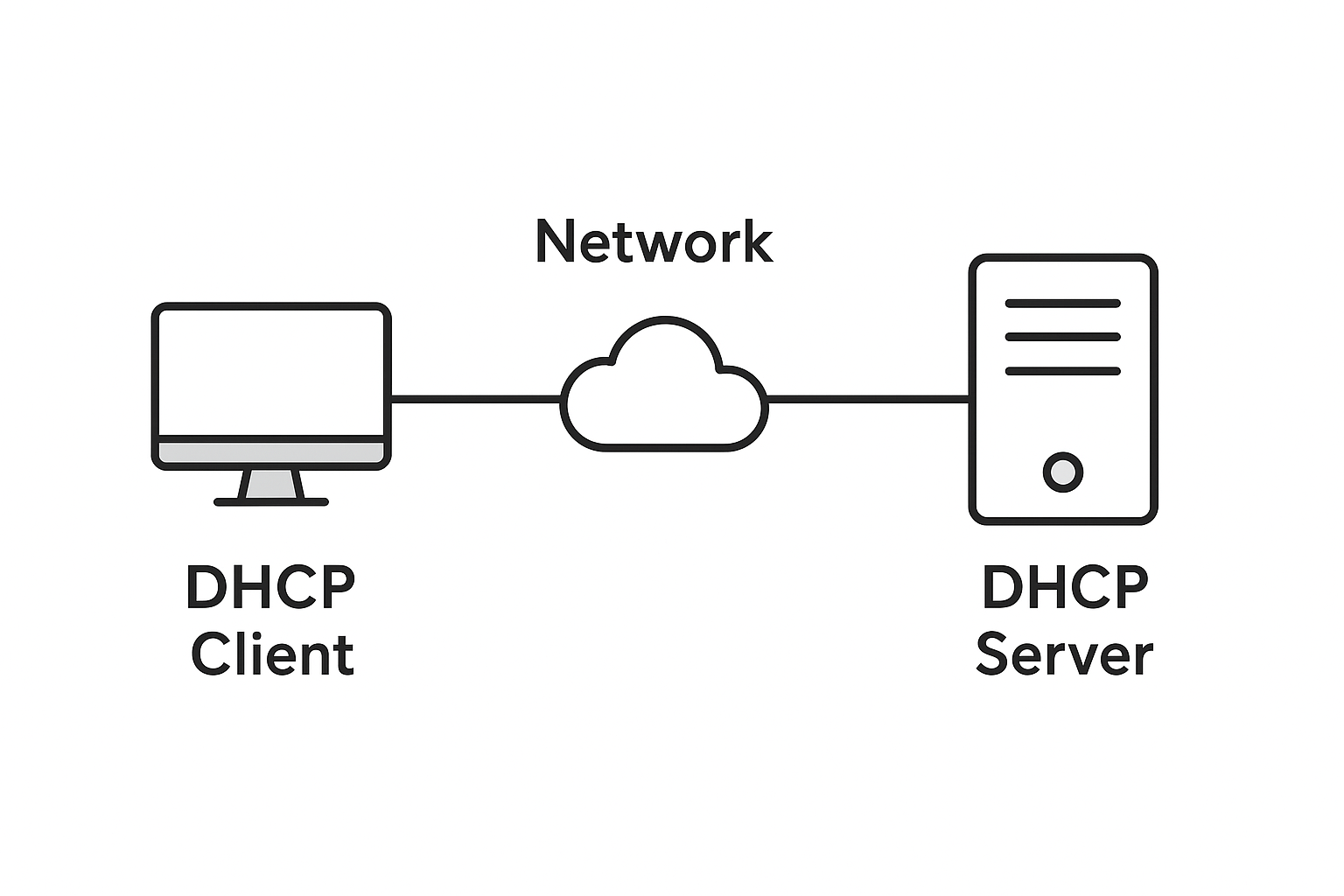
Every device (computer, smartphone, printer, etc.) needs an IP address to communicate within a network or over the internet. Without DHCP, these addresses would need to be manually configured a time consuming process prone to human error.
With DHCP, this process becomes automated. When a device connects to a network, it sends a request for an IP address. The DHCP server receives this request and dynamically allocates an available IP address to the device. This ensures that every device gets a unique address and can communicate effectively without conflicts.
Why DHCP is Important in Networking
- Automatic IP Assignment
- Avoids IP Conflicts
- Saves Time & Effort
- Centralized Management
- Flexibility for Mobile Devices
- Supports Scalability
Definition of Dynamic Host Configuration Protocol
Dynamic Host Configuration Protocol (DHCP) is a network management protocol used to automatically assign IP addresses and other network configuration parameters (such as subnet mask, default gateway, and DNS servers) to devices on a network, allowing them to communicate efficiently.
Ports Used by Dynamic Host Configuration Protocol
UDP Port 67: Used by the DHCP Server to receive requests from clients.
UDP Port 68: Used by the DHCP Client to receive responses from the server.
How DHCP Works (The DORA Process)
The Dynamic Host Configuration Protocol process follows four main steps, commonly remembered by the acronym DORA, Discover, Offer, Request, Acknowledge. This process ensures that a client device automatically receives an IP address and other necessary network settings from a DHCP server.
Discover Phase
The Discover phase is the initial stage of the DHCP communication process. It begins when a DHCP client device, such as a computer or router, connects to the network and lacks a valid IP configuration.
The client broadcasts a DHCP Discover message using UDP port 68 to the destination broadcast address 255.255.255.255, targeting UDP port 67 on the DHCP server side.
The message is broadcast because, at this stage, the client does not yet have an IP address or knowledge of the DHCP server’s address.
The Discover packet contains essential identification parameters such as:
- The client’s MAC (Media Access Control) address.
- A transaction ID (XID) used to track the communication session.
- A list of requested configuration options (e.g., DNS server, default gateway, domain name, etc.).
- Routers configured as DHCP Relay Agents can forward these broadcast messages to DHCP servers located in different networks or subnets.
Purpose: To locate one or more DHCP servers that can provide network configuration parameters to the requesting client.
Offer Phase
When a DHCP server receives the Discover message, it responds with a DHCP Offer message to propose an IP configuration to the client.
- This Offer message can be sent as a broadcast or unicast, depending on the network topology.
- The Offer includes:
- An available IP address from the server’s IP address pool.
- The subnet mask to define the network’s boundary.
- The default gateway for routing traffic outside the local network.
- The DNS server address for domain name resolution.
- The lease time, specifying how long the IP address will be valid before renewal is required.
- Optional information, such as domain name, NTP server, or WINS configuration.
- The DHCP server temporarily marks this offered IP as “reserved” in its lease database to prevent it from being offered to another client until the transaction completes or times out.
Purpose: To inform the client that a DHCP server is available and ready to assign a specific IP address and network configuration parameters.
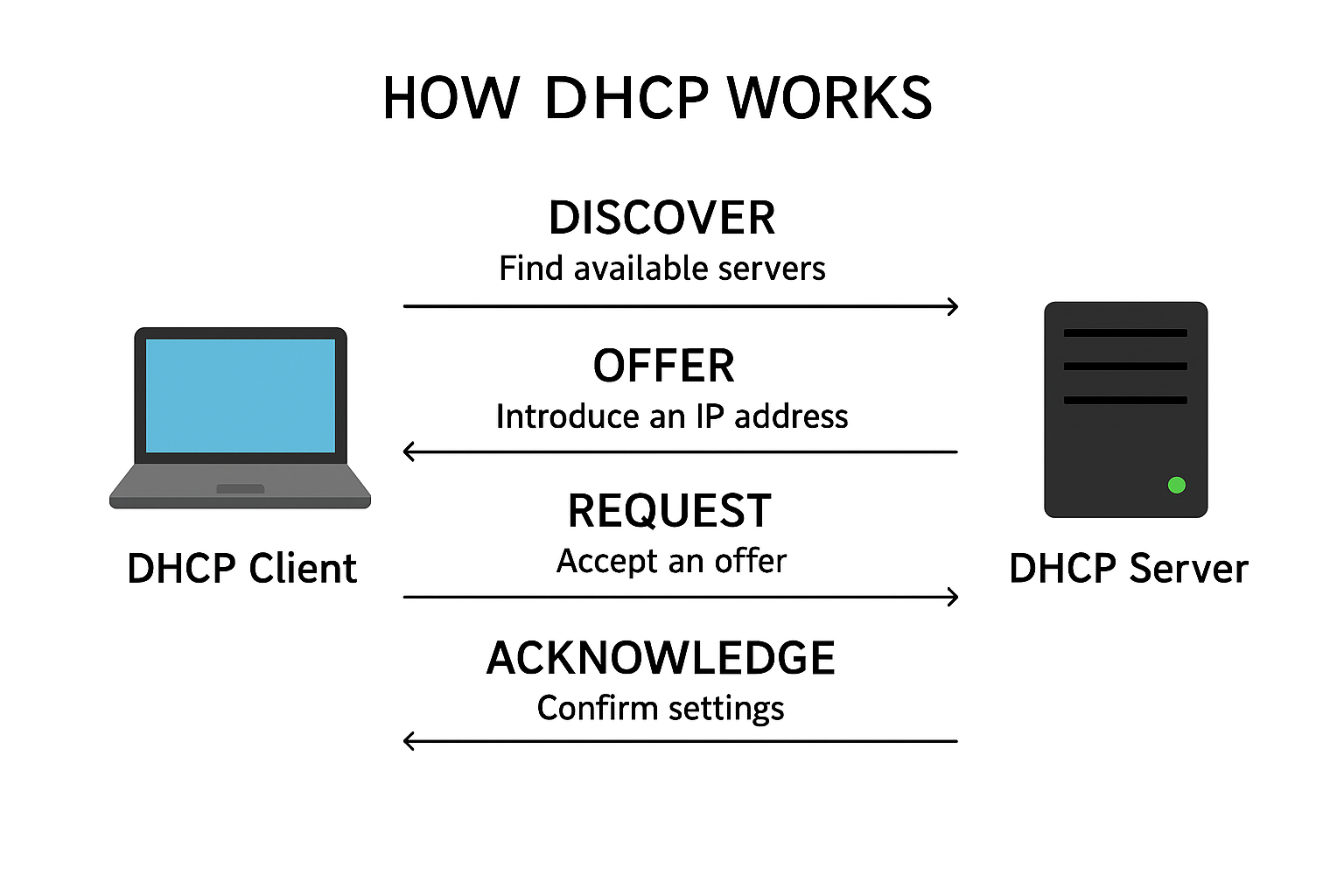
Request Phase
After receiving one or more Offers, the client proceeds to the Request phase.
- The client selects one Offer (typically the first received or based on preference criteria) and broadcasts a DHCP Request message to all DHCP servers.
- The Request message serves two distinct purposes:
- To formally accept the Offer from the chosen DHCP server.
- To notify all other DHCP servers that their Offers have been declined, releasing the temporarily reserved IPs.
- The DHCP Request message contains the server identifier (the IP address of the selected DHCP server) and the requested IP address.
- This message ensures that only the chosen DHCP server completes the IP lease process, maintaining integrity and preventing duplicate IP allocations.
Purpose: To confirm the client’s acceptance of a specific DHCP Offer and to signal other servers to withdraw their Offers.
Acknowledge (ACK) Phase
The Acknowledge phase (commonly abbreviated as ACK) is the final stage of the DORA process.
- Upon receiving the client’s DHCP Request, the chosen server verifies the offered IP address and responds with a DHCP Acknowledge (ACK) message.
- This ACK message includes:
- The confirmed IP address for the client.
- The subnet mask, default gateway, and DNS servers.
- The lease duration and renewal time.
- The DHCP server records the lease in its database, associating the client’s MAC address with the assigned IP address and lease expiration time.
Purpose: To finalize and officially allocate the IP address and configuration parameters to the client.
Summary Table: The DORA Steps
| Step | Message Type | Direction | Description |
| Discover | Broadcast | Client → Server | Client searches for available DHCP servers |
| Offer | Unicast/Broadcast | Server → Client | Server offers an available IP and settings |
| Request | Broadcast | Client → Server | Client requests one of the offered IPs |
| Acknowledge | Unicast | Server → Client | Server confirms the lease and assigns the IP |
Key Components
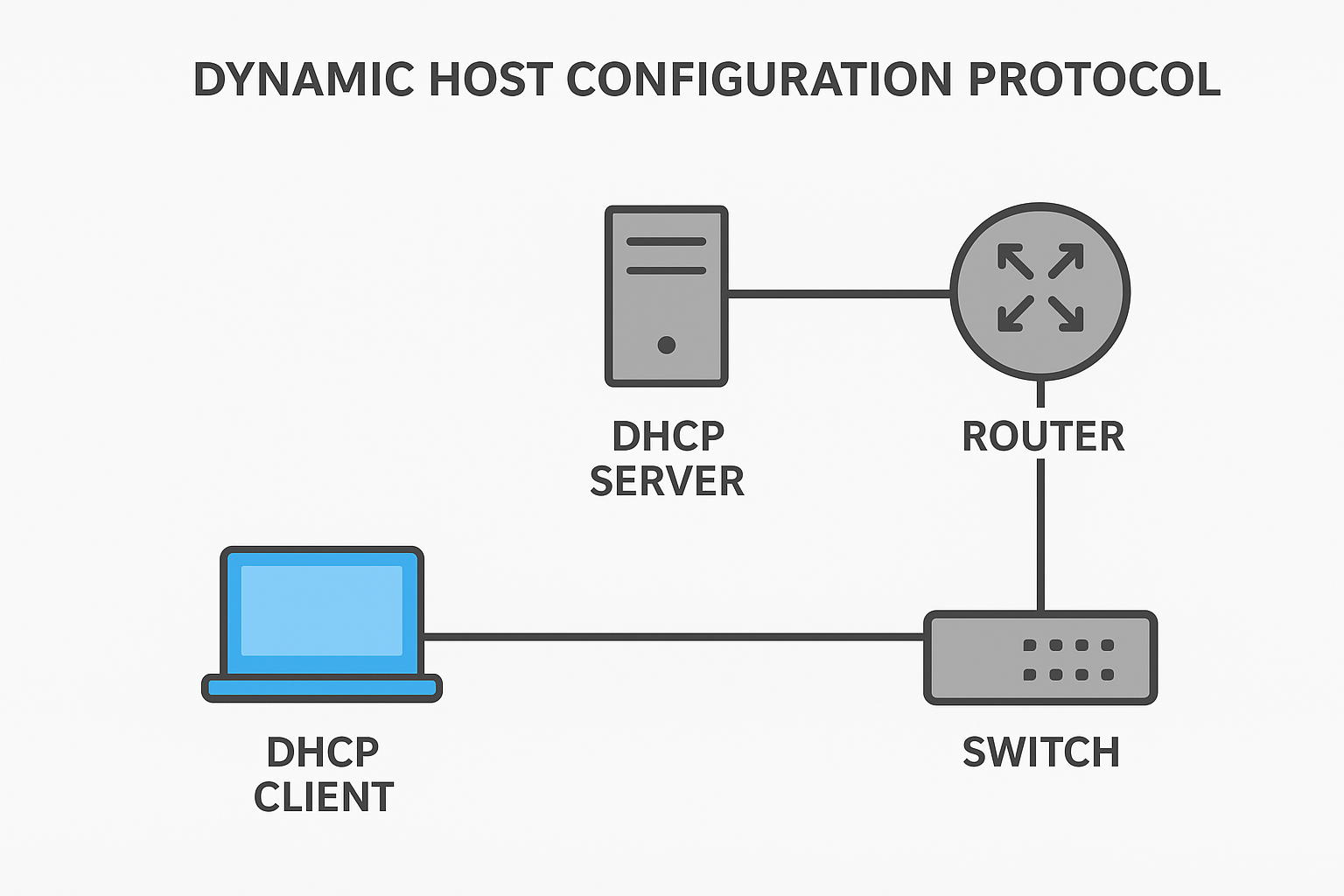
The Dynamic Host Configuration Protocol operates through a set of essential components that work together to automate IP address allocation and network configuration. These components ensure that clients can obtain valid IP settings, regardless of their physical location within a network. The three primary components are the DHCP Server, Client, and Relay Agent.
DHCP Server
The Dynamic Host Configuration Protocol Server is the central authority responsible for assigning and managing IP addresses within a network.
Functions:
- Maintains an IP Address Pool:
The server stores a range of available IP addresses, known as an IP address pool or scope, which it dynamically allocates to client devices. - Provides Network Configuration Parameters:
Along with the IP address, the Dynamic Host Configuration Protocol server provides other configuration details such as:- Subnet mask
- Default gateway
- DNS server addresses
- Lease duration
- Domain name and additional options
- Manages IP Lease Database:
The server keeps a record of which IP addresses are currently leased, to which clients, and for how long. This prevents duplication and IP conflicts. - Supports Lease Renewal and Rebinding:
When a client’s lease period expires, the Dynamic Host Configuration Protocol server renews or reassigns IP addresses automatically, maintaining network efficiency.
DHCP Client
The Dynamic Host Configuration Protocol Client is any network-enabled device (such as a computer, smartphone, printer, or IoT device) that requests IP configuration information from a DHCP server.
Functions:
- Initiates the DHCP Process:
When connected to a network, the client sends a DHCP Discover message to locate available DHCP servers. - Receives and Applies Configuration:
After the DORA process (Discover, Offer, Request, Acknowledge), the client receives a valid IP address and other settings, which it applies to its network interface. - Maintains Lease Information:
The client monitors the duration of its IP lease and initiates renewal or reconfiguration when necessary.
DHCP Relay Agent
The Dynamic Host Configuration Protocol Relay Agent serves as an intermediary between DHCP clients and DHCP servers, especially when they reside on different subnets or networks.
Functions:
- Forwards Dynamic Host Configuration Protocol Messages:
When a client sends a broadcast Discover message, it cannot cross routers by default. The relay agent receives this broadcast and forwards it as a unicast message to a DHCP server located on another network. - Adds Network Information:
The relay agent includes its own IP address (Relay Agent IP or GIADDR field) in the forwarded message, allowing the DHCP server to determine the correct subnet from which to allocate an IP address. - Returns Server Responses:
The DHCP server sends its response (Offer or ACK) back to the relay agent, which then forwards it to the client within the originating subnet.
Summary Table of DHCP Components
| Component | Role | Key Functions |
| Server | Allocates and manages IP addresses | Stores IP pool, assigns addresses, manages leases |
| Client | Requests network configuration | Sends Discover, receives and applies IP settings |
| Relay Agent | Connects clients and servers across subnets | Forwards DHCP messages, adds relay information |
DHCP Lease Process
- The DHCP Lease Process is how a Dynamic Host Configuration Protocol server gives a device an IP address for a certain amount of time, called a lease.
- When a device connects to a network, the DHCP server assigns it an IP address to use.
- This IP address is not permanent — it is valid only for the lease time (for example, a few hours or days).
- When half of the lease time is over, the device asks the server to renew the lease to keep using the same IP.
- If the server doesn’t reply, the device tries again with any other Dynamic Host Configuration Protocol server before the lease expires.
- If no server responds, the lease expires, and the device loses the IP address and must request a new one.
- When a device is powered off or disconnected from the network, it can explicitly release its assigned IP address back to the DHCP server prior to lease expiration.
